How Appdome Enables Signing Secured iOS Apps without Xcode
Code signing is crucial for installing any app on an iOS mobile device. A valid signature using an Apple-issued certificate ensures the app’s integrity and verifies that it comes from a trusted source, free from tampering. Apple enforces code signing to prevent third-party apps from loading unsigned code or using self-modifying code.
Appdome provides an alternative to Xcode for signing iOS apps, offering a more streamlined and flexible process. Appdome’s platform allows you to sign apps without using Xcode, making it ideal for mobile app developers looking to simplify their workflow or incorporate automated signing into their DevSecOps CI/CD pipelines.
Appdome allows signing an app via the Sign tab using the following methods:
- On Appdome
Appdome handles the entire signing process. You only need to provide the signing credentials. For details, see the section “3 Easy Steps to Sign Secured iOS Apps on Appdome” below.
- Private Signing
You manage the entire signing process.
For details, see How to Privately Code Sign Sealed iOS Apps using DevSecOps Build System.
- Auto-DEV Private Signing
Sign the app without uploading the signing certificate to Appdome’s cloud service. Appdome provides a script (.sh file) that runs in your trusted environment, using your credentials (certificate and password) as input.
For details, see How to Automate Secure iOS App Code Signing in DevOps CI/CD.
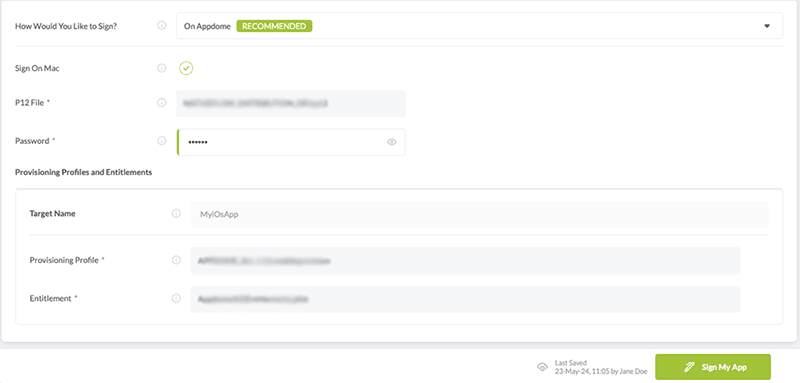
As part of the Appdome signing process for secured iOS apps, whether using Auto-dev Private Signing or Signing on Appdome, you must extract and upload a Provisioning Profile and an entitlement file for each executable in the app. When using Signing on Appdome, you also need a P12 certificate, and its password.
Why Should I Sign My Application on Appdome?
As an Appdome user, you can choose to sign any Appdome-built app using Appdome’s built-in signing capabilities or your own mechanism outside of Appdome. However, deploying apps from Appdome is highly recommended for its quick and easy process for any iOS app, including native iOS, hybrid apps, and non-native apps integrated with frameworks like Maui, Xamarin, Cordova, React Native, and Ionic. Deploying apps from Appdome also leverages unique features, such as the automatic deployment of Fused apps to the Apple App Store and Leading EMM Stores.
Prerequisites for Signing Secured iOS Apps Without Xcode
To use your signing credentials, you’ll need access to the following:
- Appdome account (create a free Appdome account here)
- Built (Fused) mobile app
- P12 Certificate File – A certificate and private key concatenated into a single file, protected by a password.
- P12 Certificate Password – The password used for unlocking your P12 certificate file.
- Provisioning Profile – Allows you to install apps onto your iOS device and includes the signing certificates, a list of supported device identifiers, entitlements, and an App ID.
- Optional – Entitlements files.
Step-by-Step Guide to Sign Secured iOS Apps on Appdome without Xcode
Follow these step-by-step instructions to sign secured iOS Apps without Xcode.
- Add a mobile app to your Appdome account.
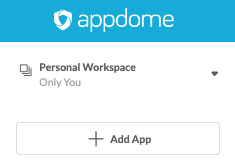
- Select the Sign Tab.

- Select On Appdome as the signing method.
- Upload the Provisioning Profile that matches your signing certificate and wait for Appdome to verify the signing parameters, then click on the Sign button.
- Note: If your application contains multiple executable files, ensure that you upload a provisioning profile for each file.
- Click Sign My App.
When you click Sign My App, Appdome analyzes the built app’s extensions, frameworks, and resources and calculates a checksum representing the exact state of each component within the app. Embedding the checksum into the app’s executables ensures that the app cannot be modified or tampered with once the signing is complete.
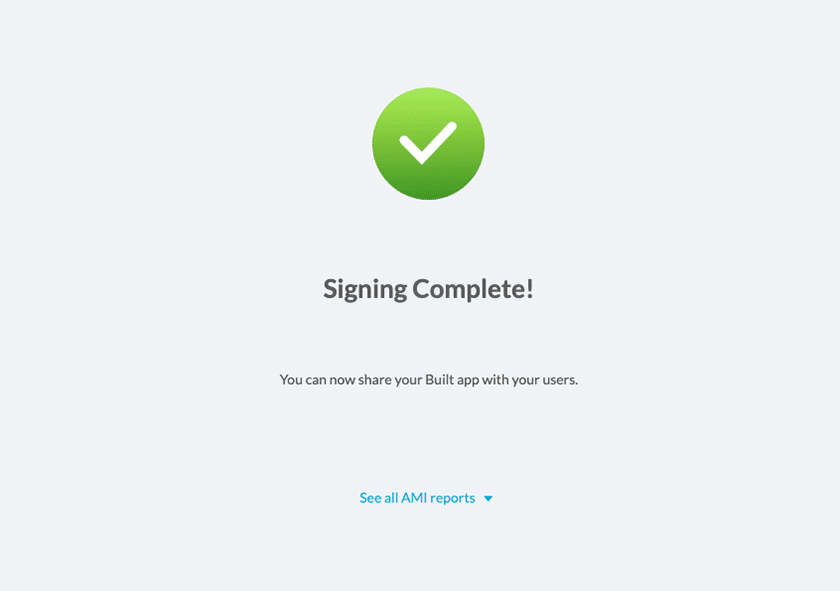
- Congratulations! You now have a signed Fused app ready to deploy.
What to Do after Signing iOS Apps
Deploy the Appdome-Build App to a Mobile Device
Once you have signed your Appdome-built app, you can download it and deploy it using your preferred distribution method. For additional details on deploying your Appdome-built apps, see How to Auto Publish Secured Android & iOS Apps to App Stores.
That’s it – Enjoy your Fused app!
Related Articles:
- How to Privately Code Sign Sealed iOS Apps
- How to Automate Secure iOS App Code Signing in DevOps CI/CD
- How to Use Code Sign on Mac for Secured iOS Apps
- Running a Checksum Validation of Android and iOS Apps.
How Do I Learn More?
If you have any questions, please send them our way at support.appdome.com or via the chat window on the Appdome platform.
Thank you!
Thanks for visiting Appdome! Our mission is to secure every app on the planet by making mobile app security easy. We hope we’re living up to the mission with your project. If you don’t already have an account, you can sign up for free.